Stock, Sales & Payments.
One Dashboard.
Simpentory is the inventory app for small businesses, retailers, and entrepreneurs. Scan a barcode, log a sale, watch stock update, and keep every buyer and payment in view — all from your iPhone.
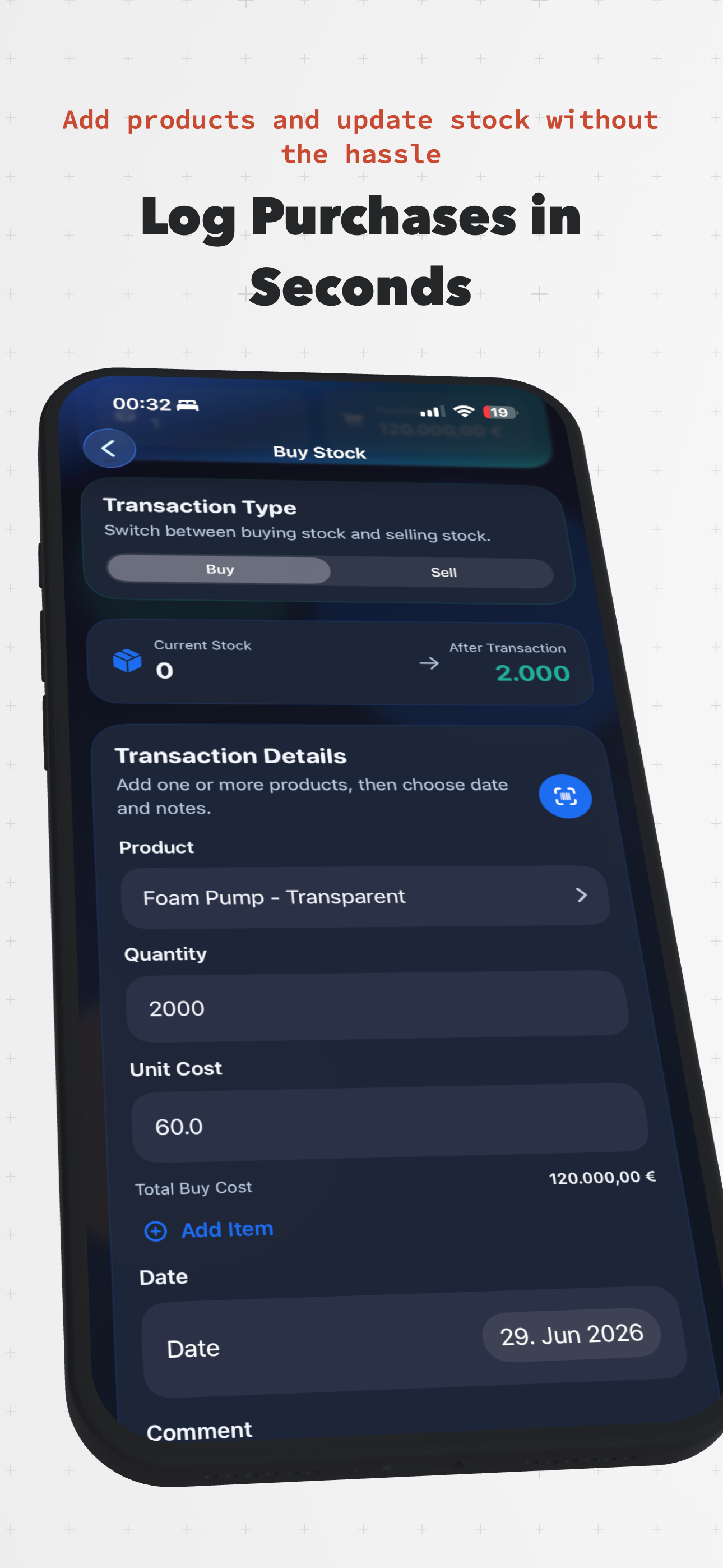
Log Purchases & Sales in Seconds
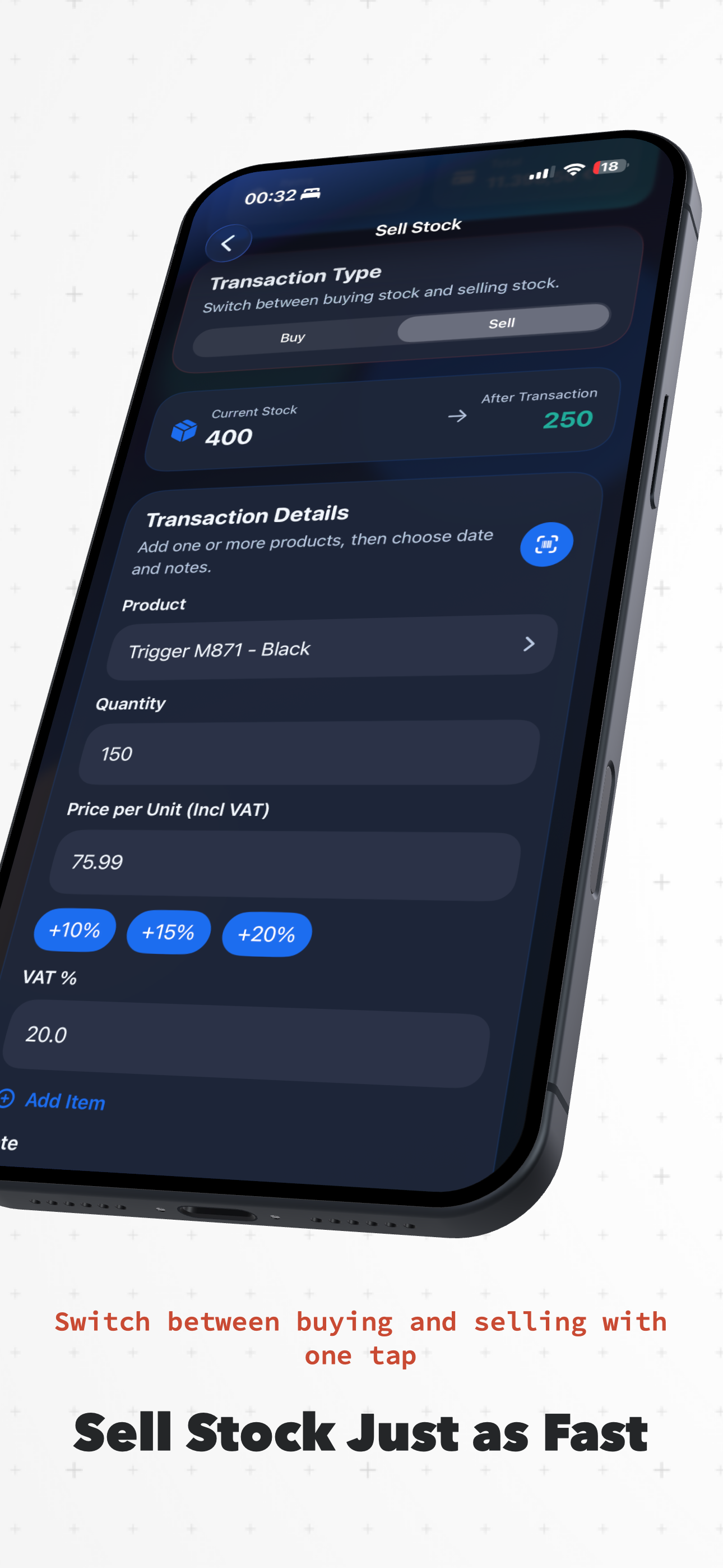
Switch between buying and selling with one tap, scan a barcode to find the product, and see stock update instantly — from current count to after-transaction total.
Pricing & VAT Built In
Enter unit cost or price per unit including VAT, apply quick markup presets, and let Simpentory calculate totals and profit automatically.
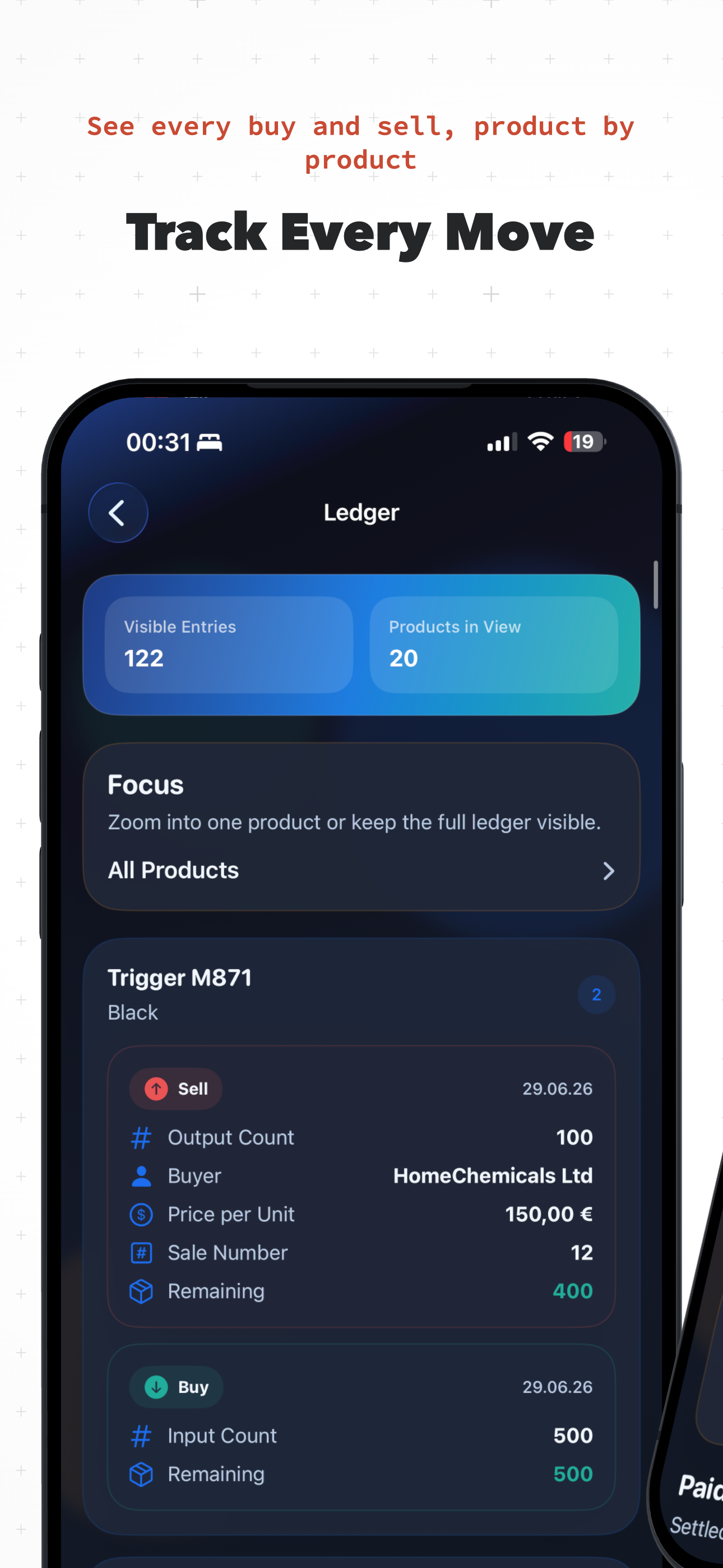
A Full Ledger for Every Product
Every buy and sell is grouped by product with buyer, sale number, and remaining stock — so you can trace the history of a single item in seconds.
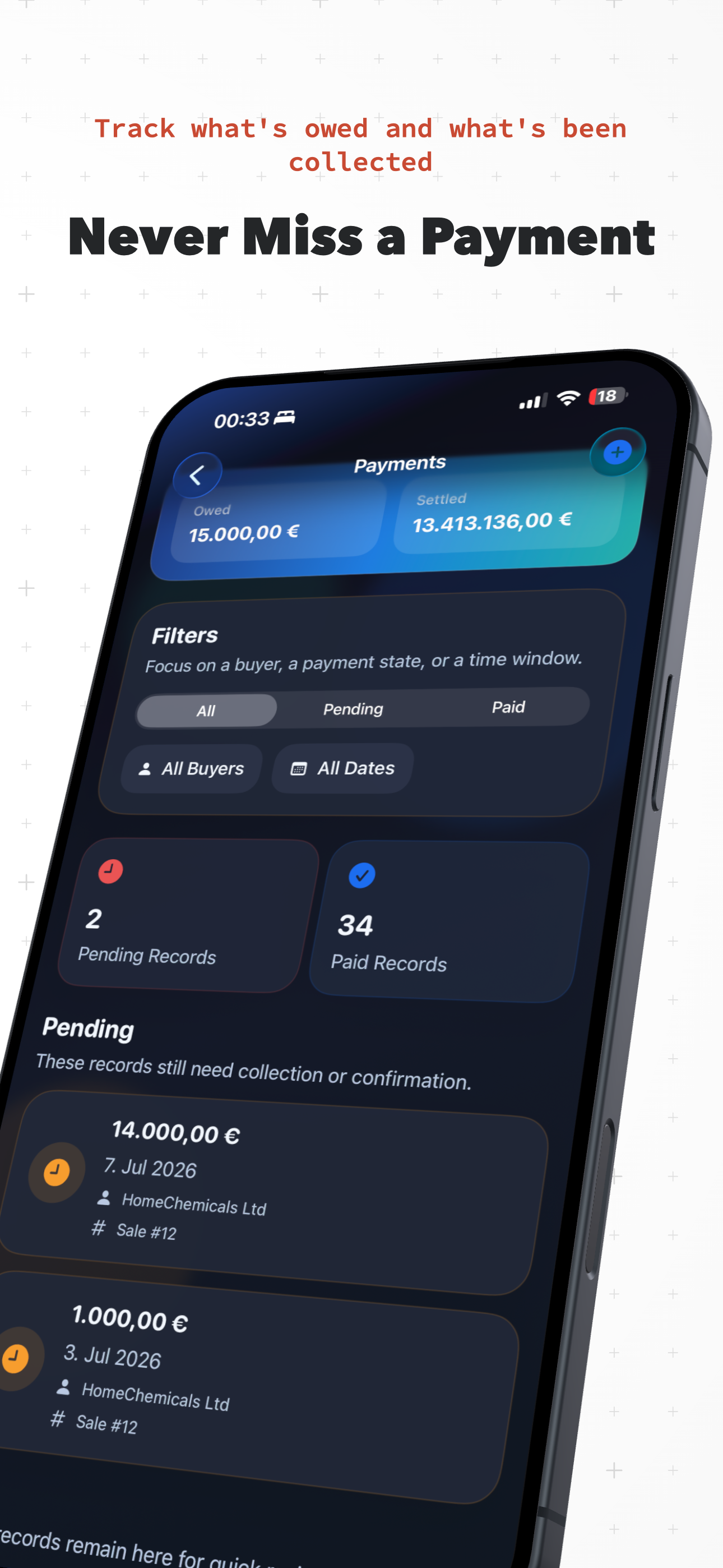
Never Miss a Payment
See what’s owed and what’s been settled at a glance, then filter pending and paid records by buyer or date to follow up on collections.
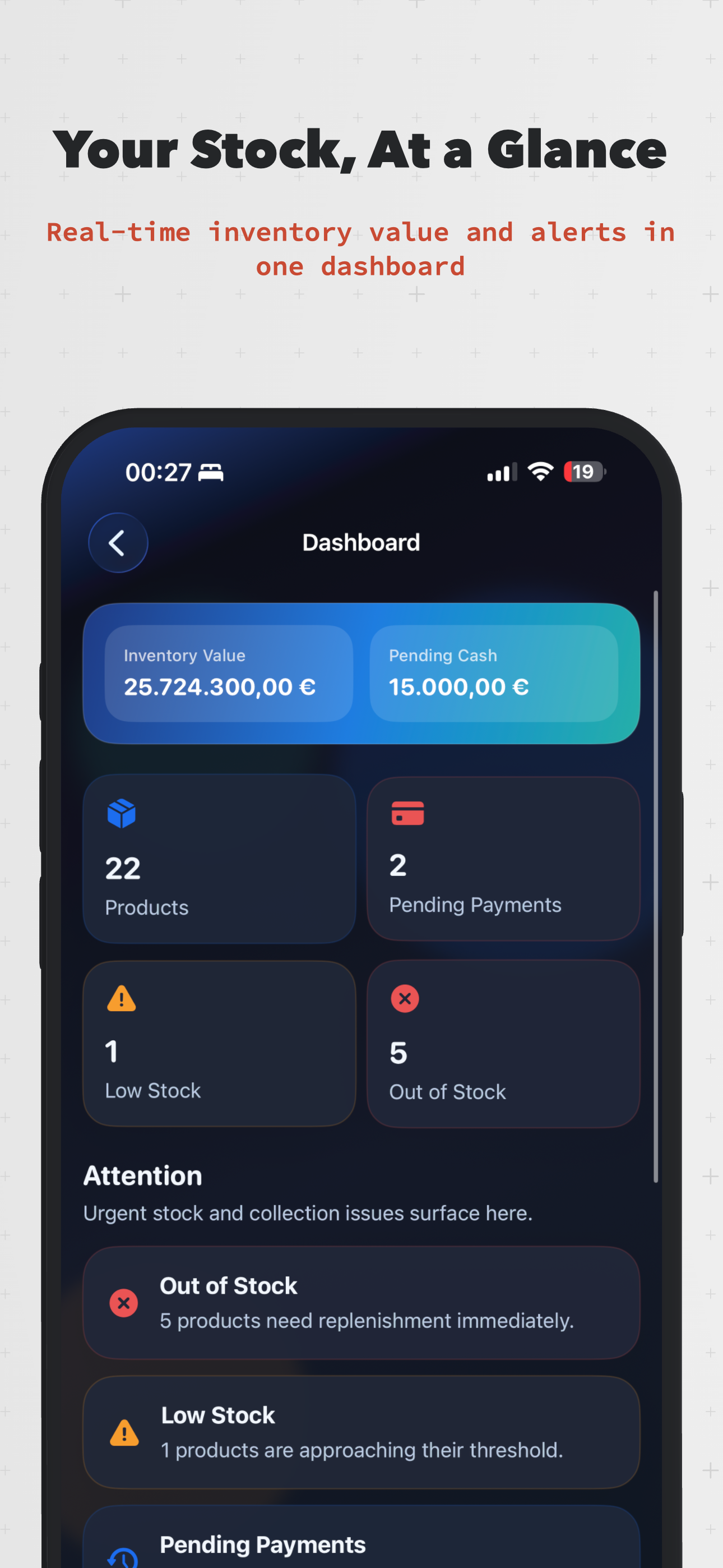
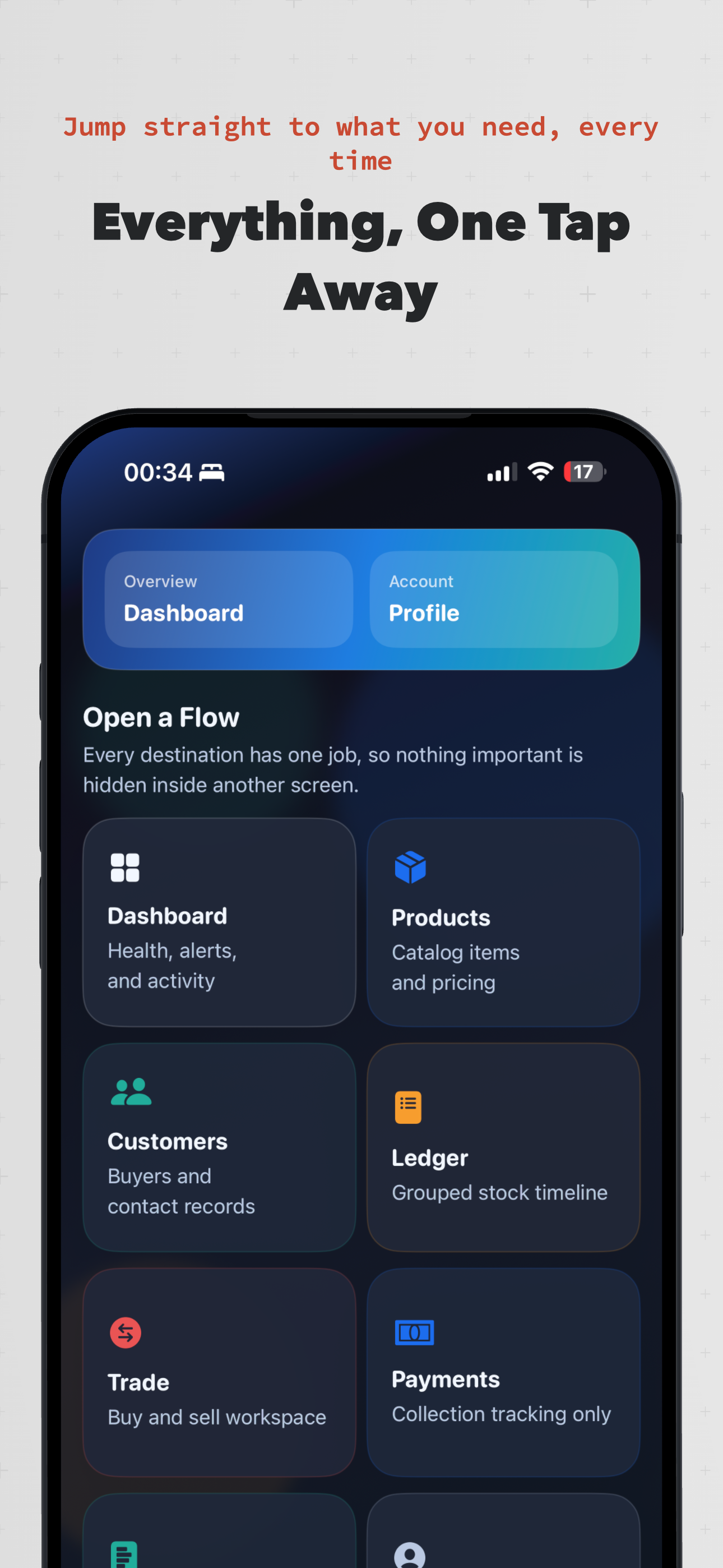
Dashboard
Inventory value, pending cash, and low/out-of-stock alerts at a glance.
Products
Catalog every item with photos, colors, sizes, and custom details.
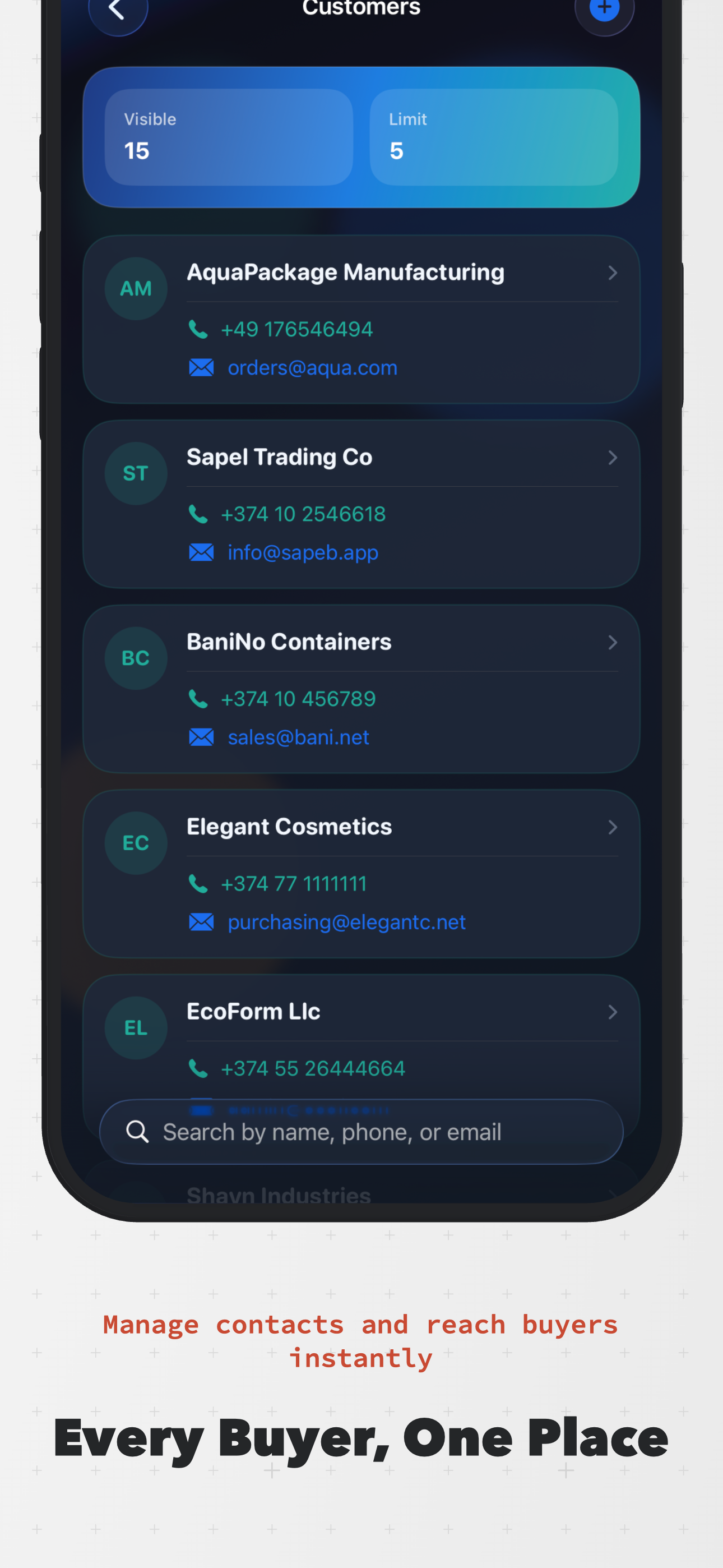
Customers
Buyer contacts, purchase history, and notes in one searchable list.
Ledger
A grouped, product-by-product timeline of every stock movement.
Trade
One workspace to buy stock in and sell it out, side by side.
Payments
Owed vs. settled totals, filterable by buyer, status, or date.
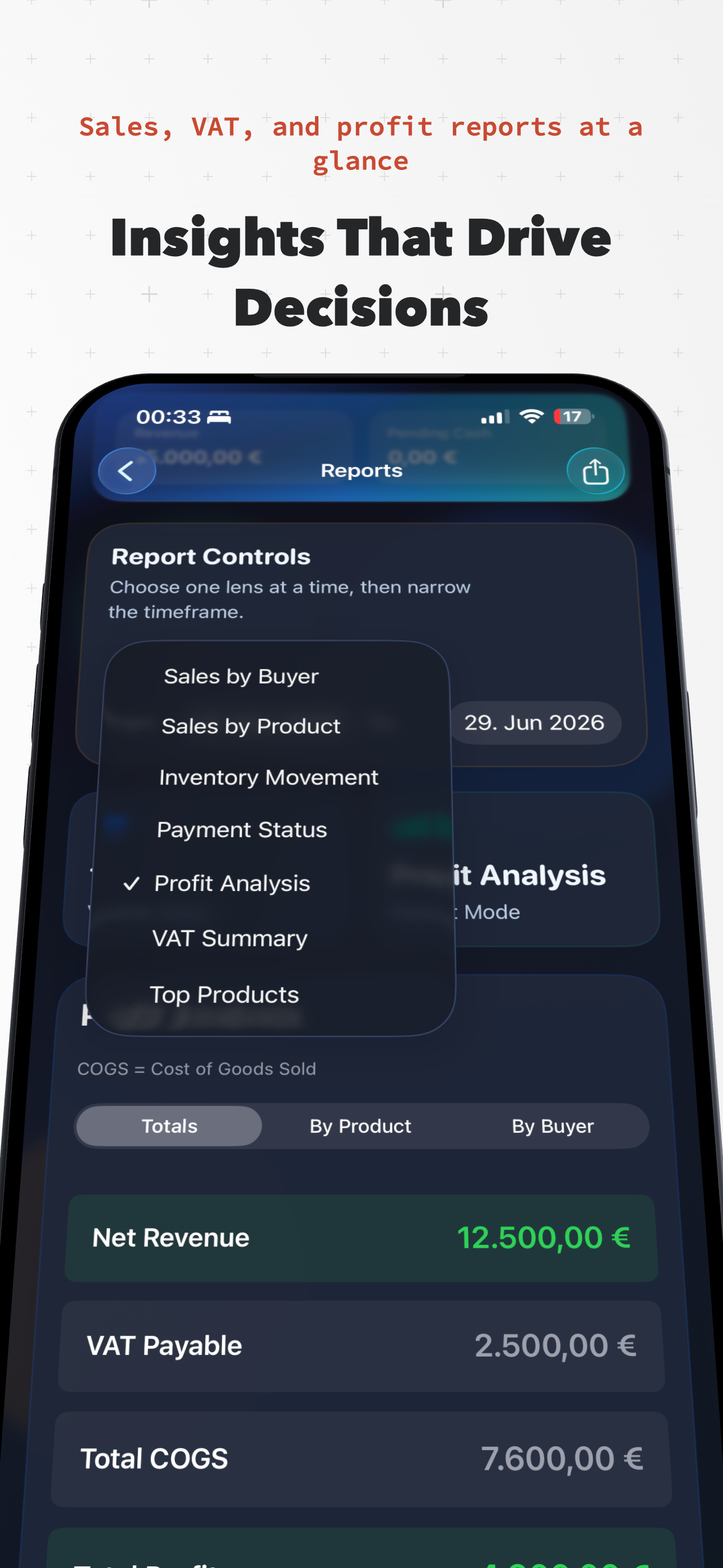
Reports
Sales by product or buyer, inventory movement, VAT, and profit.